ColorOS 17 review: Fresh design, smarter AI tools, and swift animations | Tech Reviews
 The Apna Chhattisgarh
From OnePlus to Vivo, OPPO and Realme, smartphone brands under the Chinese BBK Electronics banner are moving to ColorOS, an Android-based user interface. So, when I got a chance to experience ColorOS 17 on the OnePlus 15, I approached it with an open mind to see whether it was a step in the right direction.
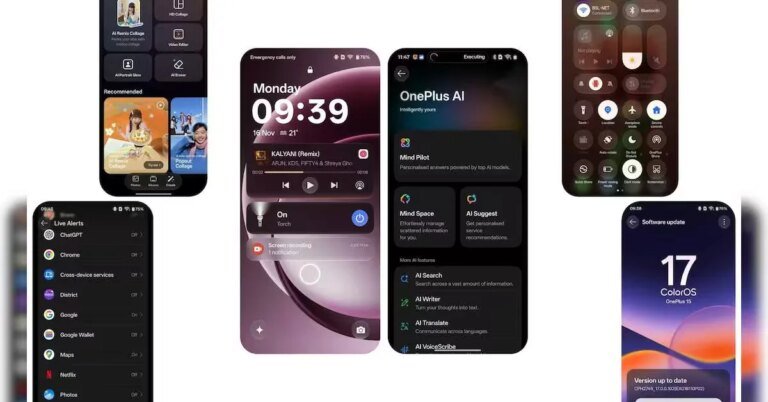
ColorOS 17 welcomed me with a redesigned interface, translucent panels and smoother animations. Not that my experience with OnePlus’ OxygenOS has been any different, but ColorOS 17 seems more cohesive. This is largely because the ColorOS brings both cosmetic and utility upgrades. So, how has my experience with ColorOS 17 been? Let us find out.
Design and interface: More transparency, more movement
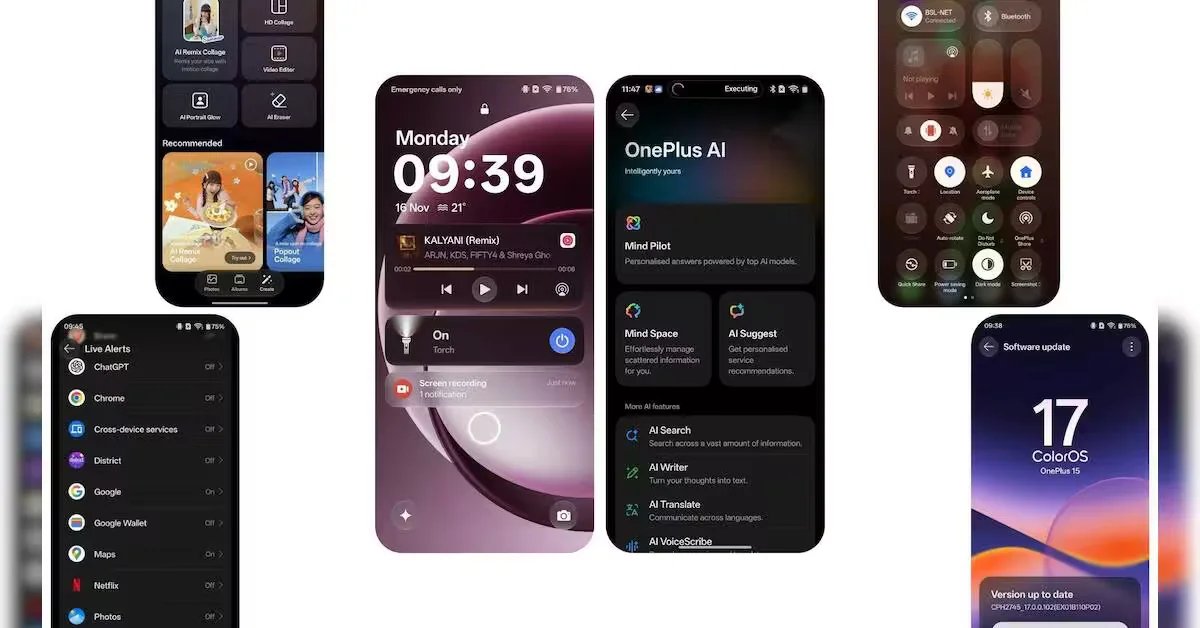
The biggest visible change in ColorOS 17 is its use of translucent elements and animations that respond to touch. The Luminous Effect gives interface elements a glass-like appearance, allowing background colours to show through notification cards, sliders, buttons and the Control Centre. Soft highlights and shadows add depth without changing the basic layout of the phone.
The changes extend beyond the home screen. First-party apps, including Photos, Phone, Settings, Notes, Calendar and Files, have redesigned interfaces, with floating navigation bars and more consistent shapes and controls. I think the intent here is to make different parts of the software feel connected rather than like separate applications.
ColorOS 17 also changes how the phone responds to touch. When you tap a button, it shrinks slightly, while menus and other elements move along with your swipe. The response also varies depending on how quickly you swipe, with faster movements producing a more noticeable effect. Some of these interactions are accompanied by haptic feedback, making the controls feel more responsive.
The changes make the interface look and feel different, but not all of them make a real difference to everyday use. I liked the smoother animations and the way the phone responds to touch, though some users may find these effects unnecessary after a while.
Lock screen: The Living Clock takes centre stage
The Living Clock is one of the more noticeable additions to ColorOS 17. Users can resize the clock and move it to different positions on the lock screen. Its animation continues as the phone transitions between the always-on display, lock screen and home screen.
The clock also changes in response to notifications. Instead of shrinking all at once when alerts arrive, it adjusts gradually as their number increases. Users can choose to display notifications as a stacked group or as a list.
The clock’s position also influences how app icons appear when the phone is unlocked. Icons enter the home screen in groups, with animations adjusted to the clock’s placement.
Another addition is the Mountain Way theme, which changes the lock screen according to the weather and time. The scene becomes brighter during sunny conditions and darker at night, while rain and snow introduce animated effects. Raindrops can appear to run across the clock itself.
Lock screen shortcuts and widgets have also been adjusted to fit the new design. These changes provide more customisation, although they focus primarily on appearance rather than introducing a new way to access essential phone functions.
Fluid Cloud and media player: Live information gets a makeover
ColorOS 17 updates Fluid Cloud, the interface used to display live activities such as alarms, calls and file-sharing notifications. The cards now use translucent backgrounds and subtle highlights, with a glow appearing when users interact with them.
The media player receives similar treatment. Its progress bar uses a moving light effect that follows the track as it plays and responds when users drag the playback control. Pausing or changing tracks triggers a ripple animation.
Live Alerts support a wider range of applications, including Google Maps, Zomato, Swiggy, Rapido, Netflix, Chrome, ChatGPT, BookMyShow and Blinkit. This allows relevant information from supported apps to appear without users having to open each application separately.
The changes make live information more prominent and give the media player a consistent appearance across the lock screen and Control Centre. However, the usefulness of Live Alerts will depend on which applications a user relies on and how well those integrations work in everyday use.
Control Centre and notifications: Smoother navigation
The Control Centre and notification panel follow the same translucent design. When the Control Centre is opened, the background dims before the panel appears. Its buttons and notification cards allow some background colour to show through, while highlights respond to touch.
Swiping between notifications and the Control Centre also produces different animations depending on the speed of the gesture. A quick swipe moves the interface more sharply, while a slower movement eases into place.
The Control Centre’s icons have become rounder, and its media player has been redesigned to display album artwork more prominently. Similar animation changes appear when opening and closing apps, rotating the screen and minimising floating windows. These are minor changes rather than a complete overhaul of navigation.
AI Agent Mode: Organising files and photos
AI Agent Mode is among the more substantial additions because it can perform several related tasks instead of simply answering a question.
Integrated into AI Mind Pilot, the feature can organise files and photos stored on the phone. Users can ask it to sort photographs by person or destination, group images into categories, locate a picture using a description or rename files based on their contents.
It can also collect scattered documents into a folder and use information from tickets and reservations to prepare a travel itinerary. Other possible outputs include a webpage or a presentation created from existing information.
AI Mind Pilot brings together models including ChatGPT, Gemini and Perplexity. The available integrations allow users to draw on different AI services, while the system can connect them with information stored in AI Mind Space.
A key distinction is that local indexing and organisation can be handled on the device. When a task requires an external service, the system asks for permission before sending files for processing.
For people who regularly download documents, save receipts or accumulate hundreds of photographs, this could reduce the time spent organising content manually. However, its value will depend on how accurately it understands instructions and handles larger collections.
AI Mind Space and Mind Suggest: Saving information and tracking journeys
AI Mind Space acts as a place to collect information encountered while using the phone. Users can save on-screen content through the Snap Key or a three-finger swipe, then return to it later.
Long-document capture allows users to save lengthy articles without taking multiple screenshots. The feature can also produce summaries and save links to YouTube and TikTok videos.
AI Mind Suggest takes a different approach by surfacing information when it may be useful. It can provide reminders, countdowns, live journey updates and disruption alerts. A MakeMyTrip Train Card offers train schedules, live updates and quick access to passenger name record (PNR) information. Spotify recommendations are also supported.
These features could be useful for people who regularly save articles, plan trips or need to keep track of bookings. Their effectiveness will depend on the information available to the system and the services supported.
Final thoughts
ColorOS 17 brings a noticeable change to the overall smartphone experience, with a redesigned interface, smoother animations and several new AI features. While the visual changes make the software feel fresh, features such as Agent Mode, AI Mind Space and Mind Suggest add more practical value. The ability to organise files, find photographs, save articles and keep track of travel information could come in handy, particularly for users who rely heavily on their phones to manage everyday tasks.
What stands out is the effort to bring AI into activities users already perform rather than making them open a separate chatbot for every task. However, not all additions are equally useful. The new animations, lock screen effects and translucent panels improve the look and feel of the interface, but their impact on everyday use is limited. Some of the AI tools also require users to spend time understanding how they work and what they can do.
Overall, I found ColorOS 17 to be a useful update, particularly because of features such as Agent Mode and Mind Space, which can help with everyday tasks such as finding photos, organising files and saving information. The redesigned interface and smoother animations make the phone feel fresh, although some of these changes are more about appearance than convenience. The AI tools have potential, but they will take some getting used to. I would say the update is worth exploring, especially if you often use your phone to manage files, photos and travel plans.
About the Author